Before you start
- The 35mm plan or higher. Publishing from Lightroom comes with 35mm and up.
- The plug-in installed and connected to your studio. See Connect Lightroom Classic to HeyShutter.
- STEP 1 OF 7
Choose what new galleries are
In the Library module, right-click HeyShutter under Publish Services and choose Edit Settings. Under New galleries are, pick sessions (one client) for most work, or pageants (many contestants) for events. It only changes galleries the plug-in makes from now on. Click Save.
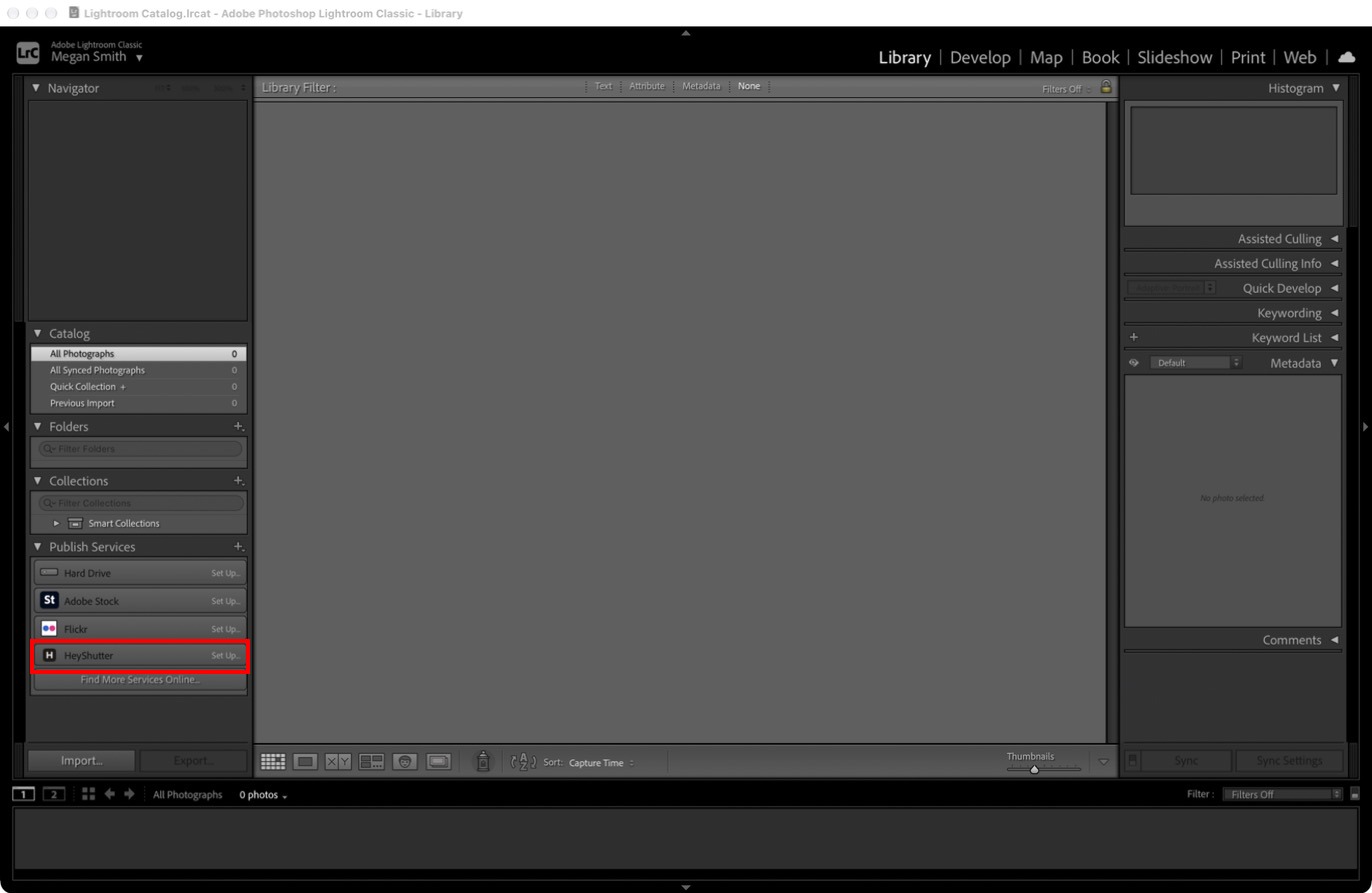
HeyShutter under Publish Services. - STEP 2 OF 7
Make a collection set for the gallery
Right-click HeyShutter under Publish Services and choose Create Published Collection Set.
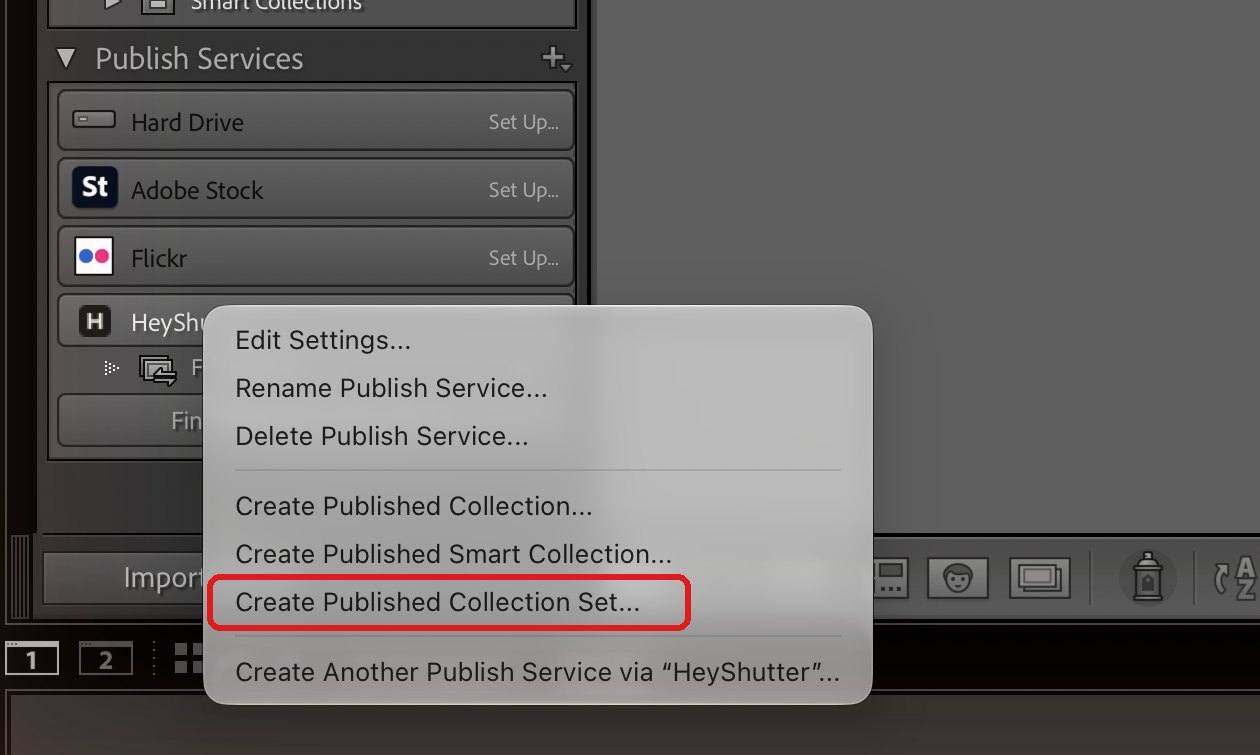
Right-click HeyShutter. - STEP 3 OF 7
Name it and choose the gallery
Name the set after the gallery. Under Publish to, keep A new gallery with this name, or pick a gallery you already made on HeyShutter. Choose whether a new gallery is a session or a pageant, and click Create.
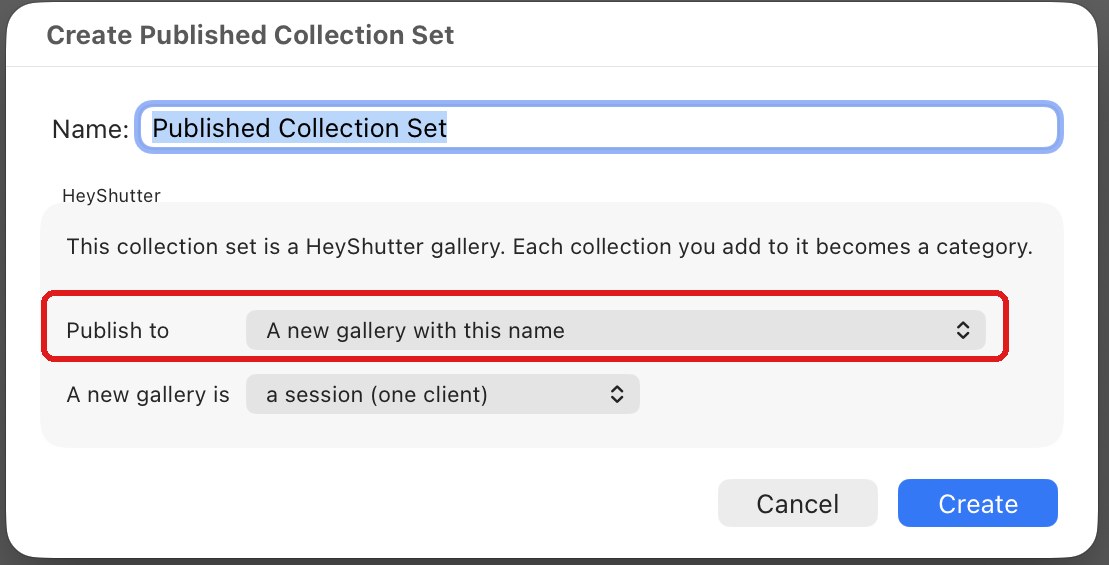
A collection set is a gallery. - STEP 4 OF 7
Add a collection for each category
Right-click the set and choose Create Published Collection. Name it after the category, like Highlights or Getting Ready. A collection on its own, outside a set, is a gallery too.
Tip. Lightroom starts you with a collection called First gallery. Rename it or use it.
- STEP 5 OF 7
Drag photos in and click Publish
Drag your edited photos onto a collection, select the collection and click Publish. Photos go up full size, and HeyShutter makes the previews and watermarks.
- STEP 6 OF 7
Change an edit and publish again
Edit a published photo in the Develop module and Lightroom lists it under Modified Photos to Re-Publish. Click Publish. The gallery shows the new version in the same place, keeping its favorites and orders.
- STEP 7 OF 7
Remove a photo
Remove it from the collection and click Publish. It leaves the gallery too.
Good to know
Questions
It says Lightroom isn’t connected.
Right-click HeyShutter under Publish Services, choose Edit Settings, click Connect and approve the code in your browser.
Can I publish video?
No. The plug-in publishes photos as full size sRGB JPEGs.
Does it work with the cloud version of Lightroom?
No. Only Lightroom Classic runs plug-ins.
Stuck? Email [email protected] with a screenshot, or open Support from inside HeyShutter.