Before you start
- A HeyShutter studio. Start free at app.heyshutter.com/signup.
- Your photos as JPEG, PNG, WebP or TIFF files, up to 120 MB each.
- STEP 1 OF 6
Click New gallery
Click Galleries in the left menu, then New gallery at the top right.
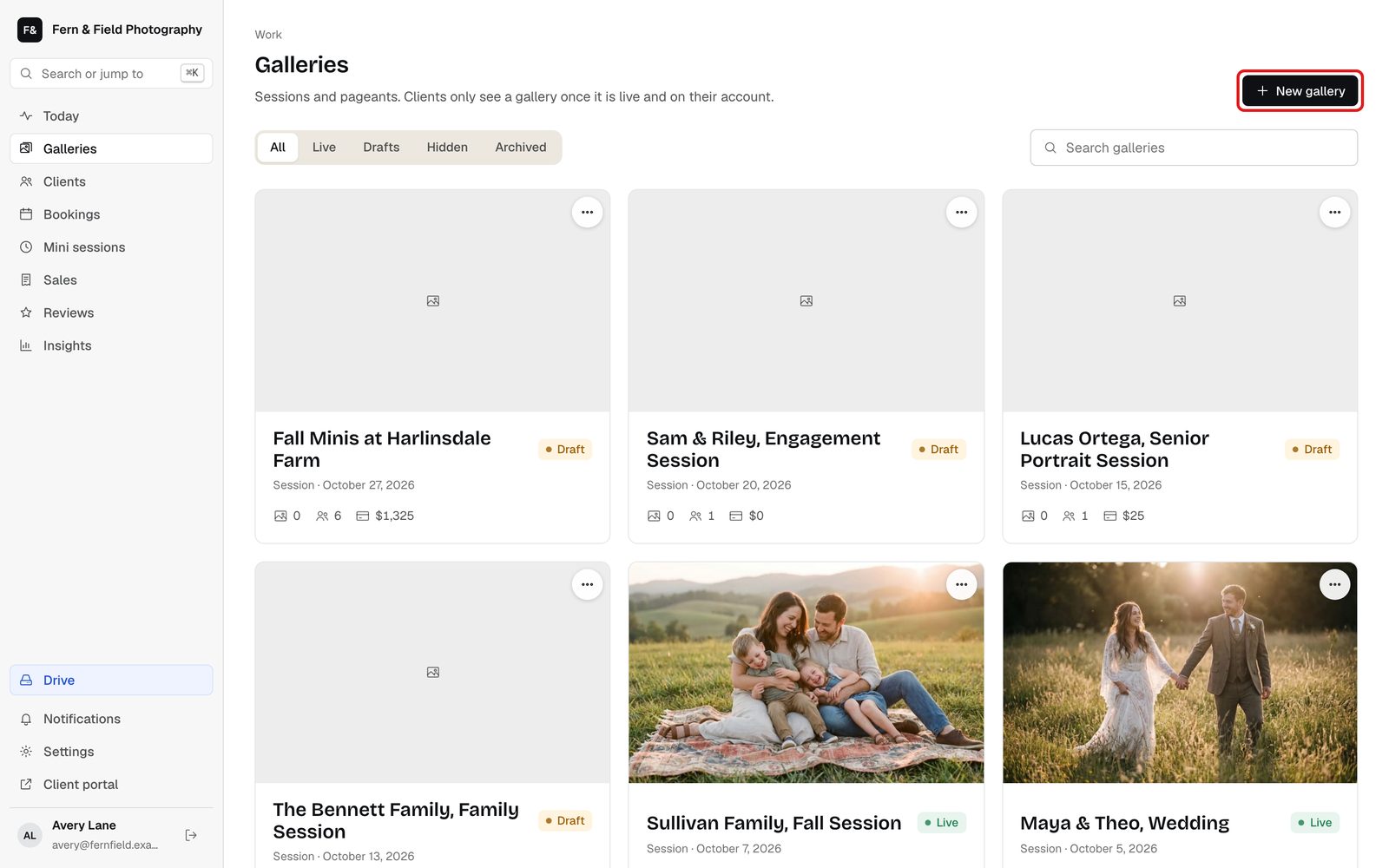
Galleries. Sample studio. - STEP 2 OF 6
Name it
Type the name your client will see, like their name and the session. Add the date and the client now, or choose the client later. Click Next.
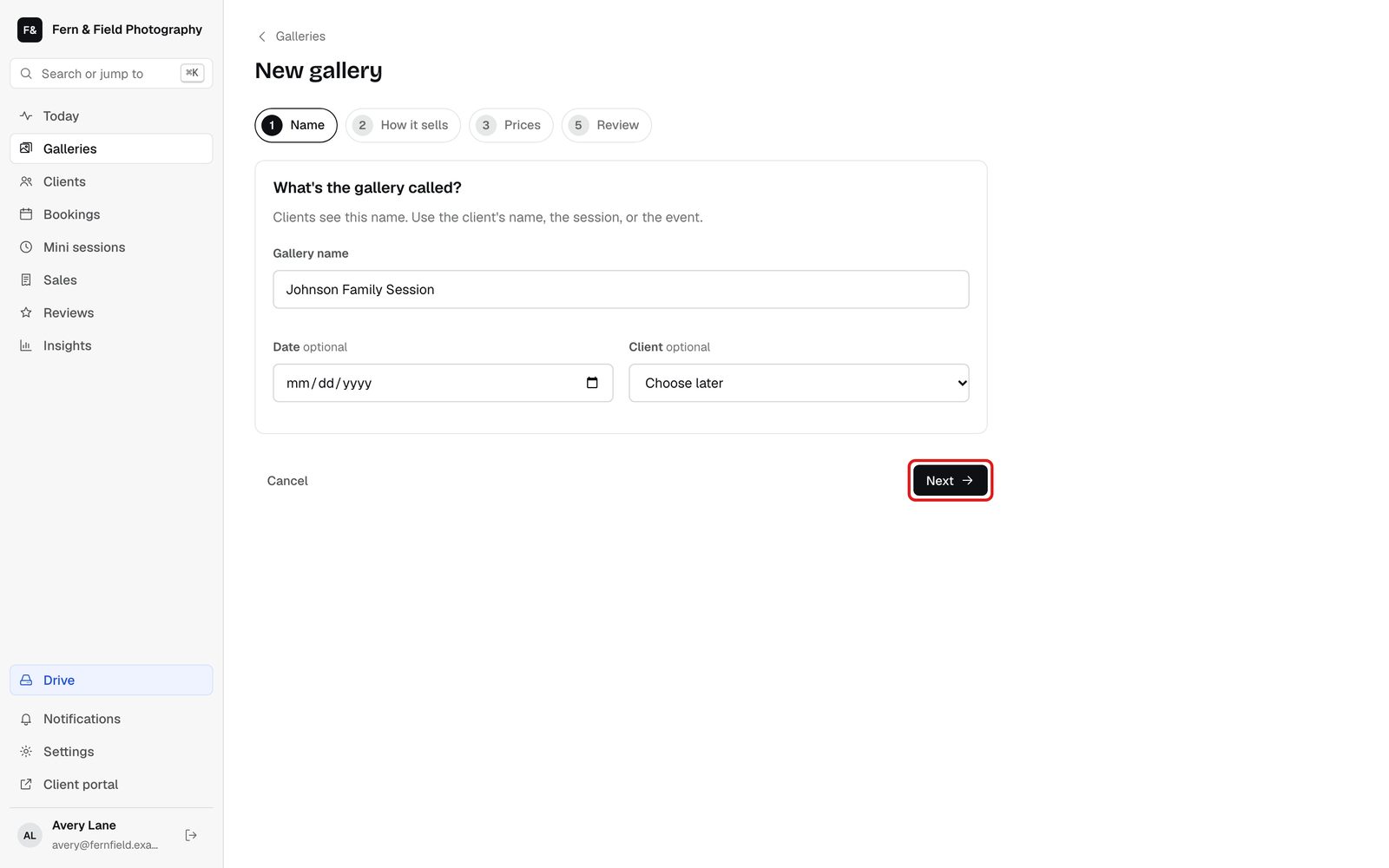
Step 1, Name. - STEP 3 OF 6
Choose how it sells
Pick Standard for most sessions: every photo in one package at one price, already paid for, or view only. Custom packages sells a session in parts, and Many people is for pageants and events. Click Next, set the price or choose Included, and finish with Create gallery.
Tip. You can change prices any time on the gallery’s Pricing tab.
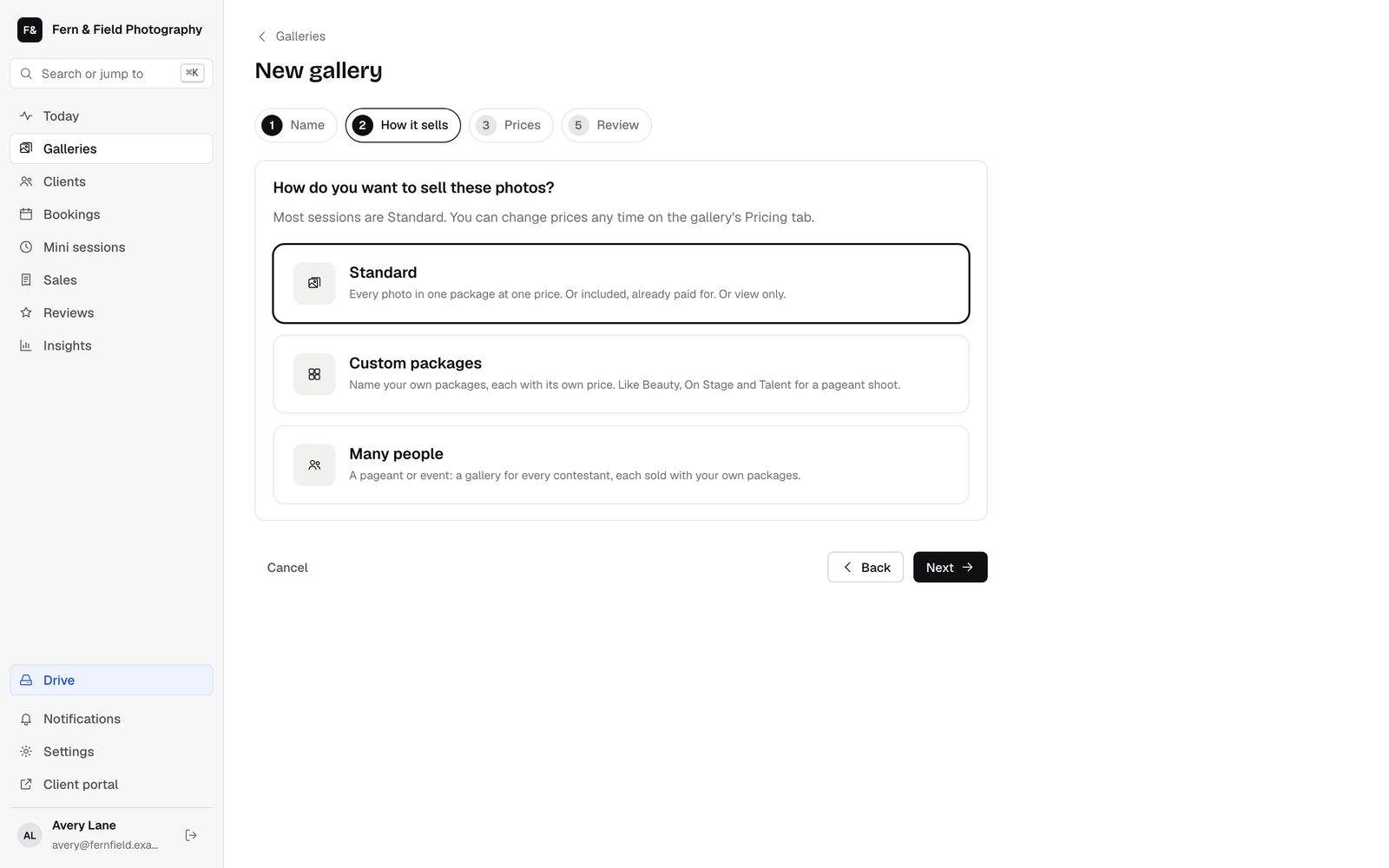
Step 2, How it sells. - STEP 4 OF 6
Upload the photos
On the Photos tab, click Upload photos or Upload folder, or drag photos onto the page. Previews and watermarks are made for you. The first photo is the cover until you tick another one and choose Use as cover.
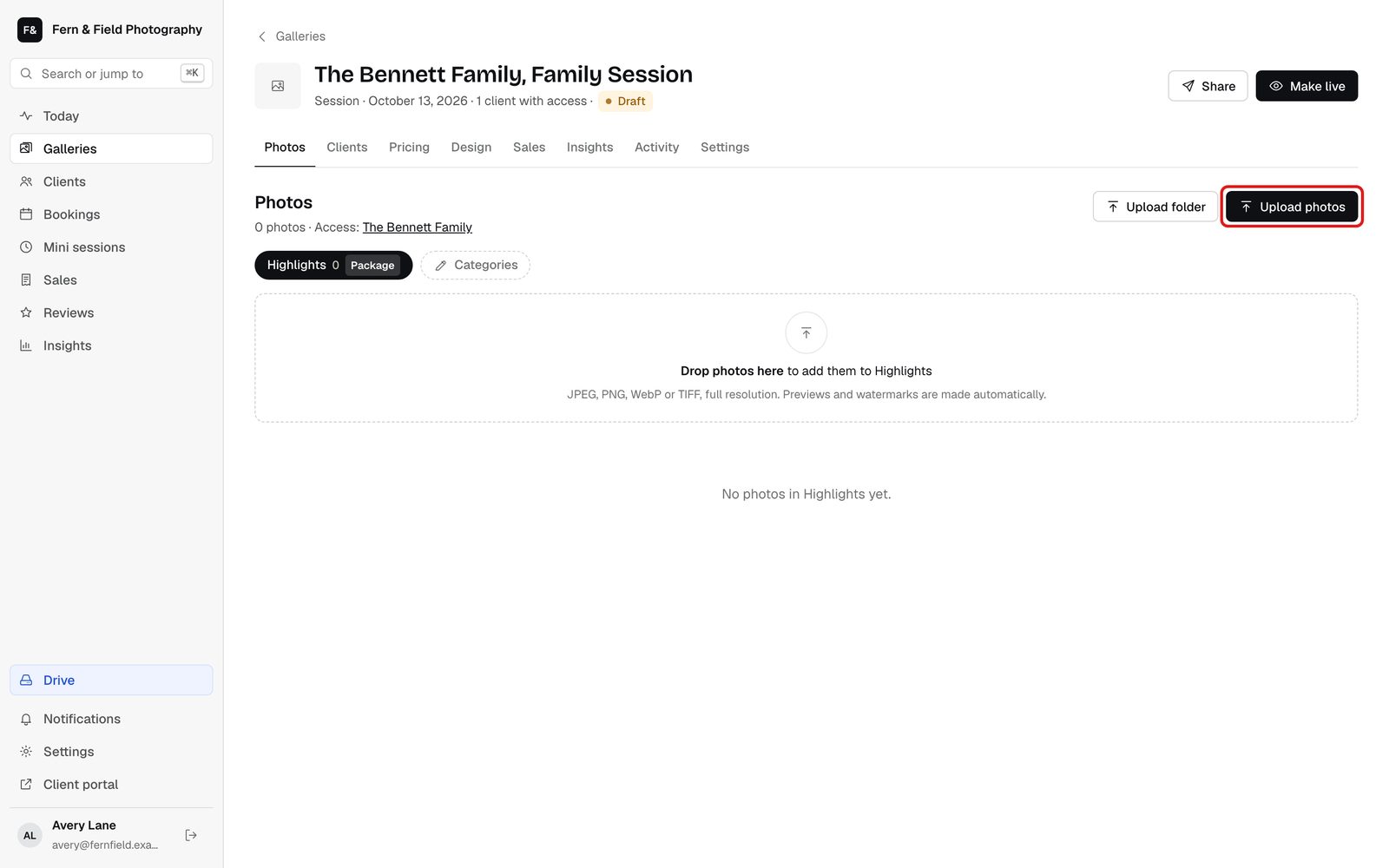
A new gallery, ready for photos. - STEP 5 OF 6
Make it live
New galleries start as drafts that clients cannot see. Click Make live when it is ready.
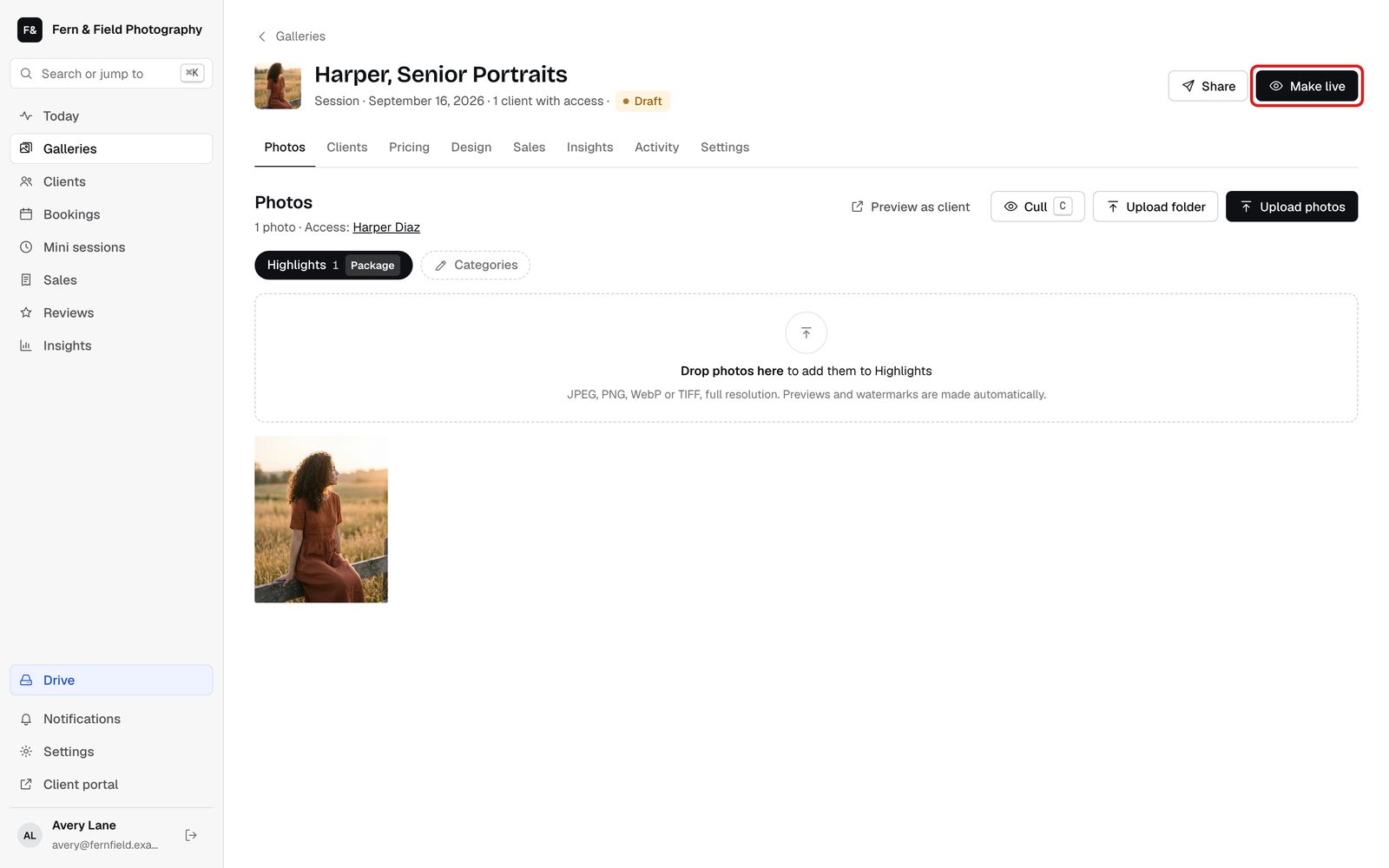
Drafts stay hidden until you make them live. - STEP 6 OF 6
Send the link
Click Share. Under Send the link yourself, click Copy link and paste it into a text, email or message, or click Text to text it. Or under Email it from HeyShutter, click Email to send everyone with access a gallery-is-ready email.
Tip. Sharing makes the gallery live if it is not already. Adding a client on its own sends nothing.
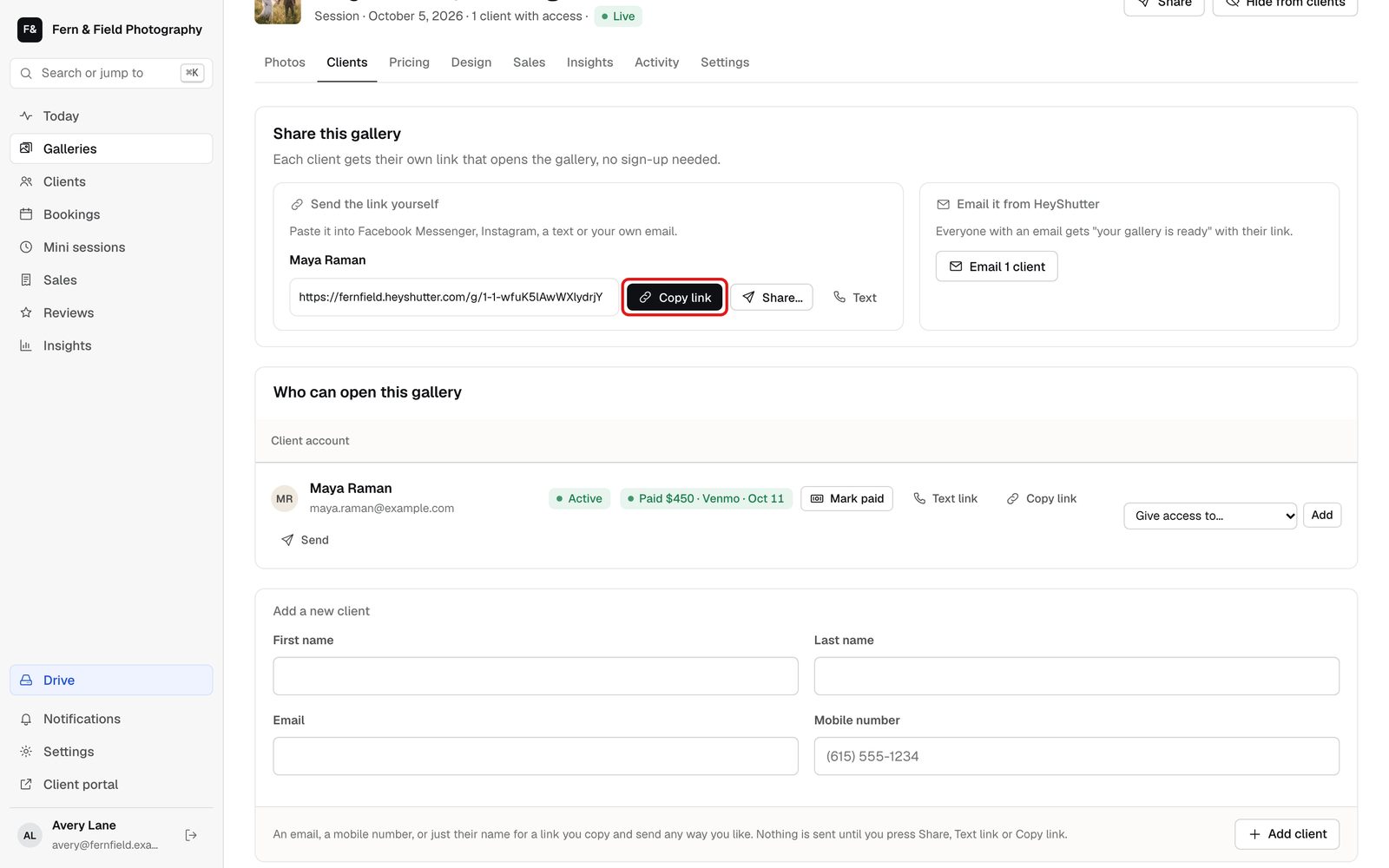
Each client gets their own link.
Next steps
Questions
Do clients need an account?
No. Each client gets their own link that opens the gallery straight away. You can change that under Settings, Client portal.
How much can I upload?
Up to 120 MB a photo. Your plan sets the total, from 5 GB on Pinhole to 2 TB on Signature.
What does the client’s email say?
Someone new gets Your private gallery from your studio’s name. Someone who has opened a gallery before gets New photos are ready, with the gallery’s name. If the gallery has a PIN, it is in the email.
Can I hide a gallery again?
Yes. Open the gallery and click Hide from clients.
Stuck? Email [email protected] with a screenshot, or open Support from inside HeyShutter.