Before you start
- The 35mm plan or higher. On the free Pinhole plan, clients pay by card.
- STEP 1 OF 7
Add how to pay you
Open Settings, Client portal. Under Pay me directly, type how clients can pay you, like Venmo @yourstudio, Cash App $yourstudio. Click Save portal.
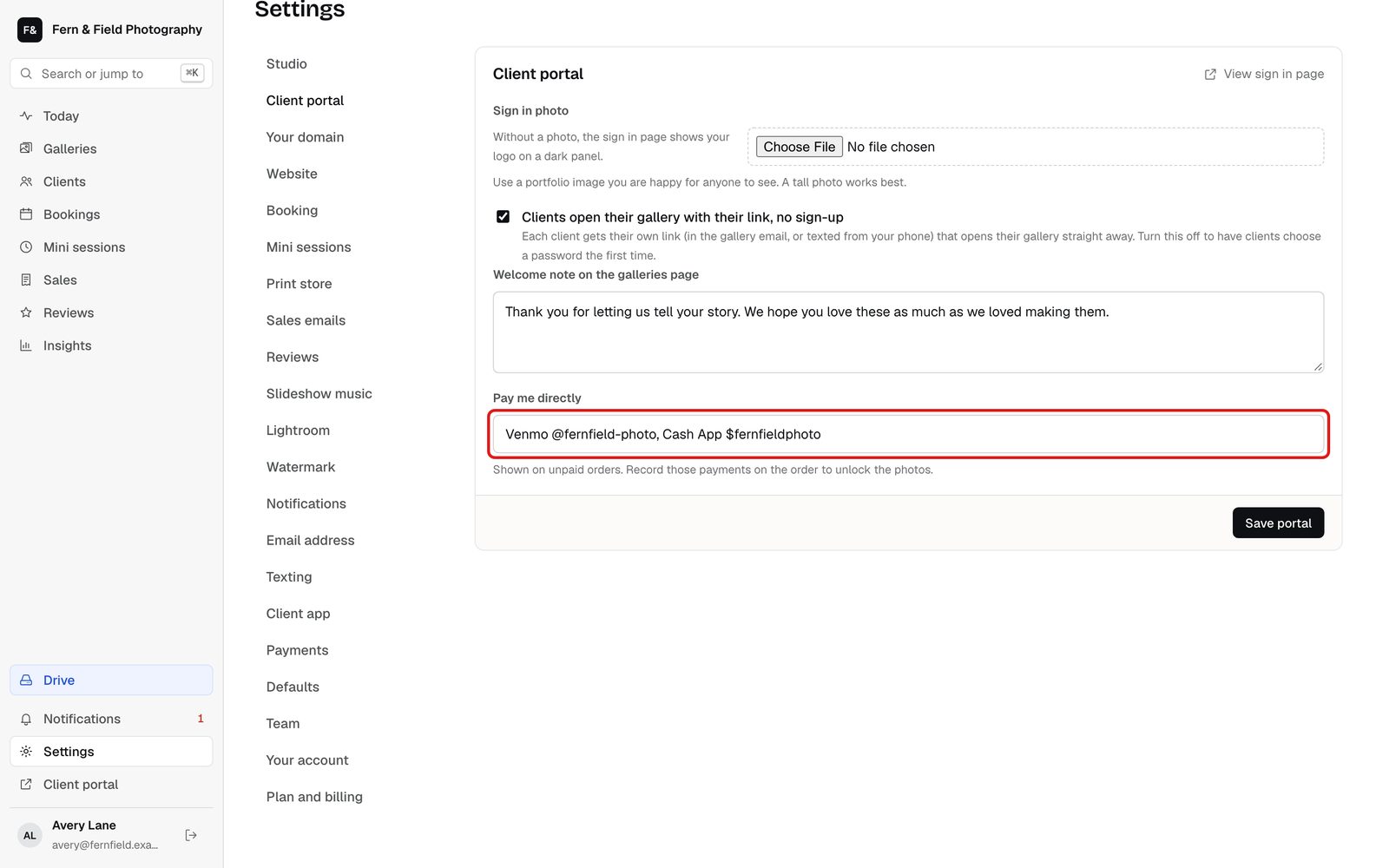
Settings, Client portal. - STEP 2 OF 7
The client places an order
In the gallery, the client picks their photos and clicks Place order. The cart tells them they pay you directly and their photos unlock once payment is confirmed.

The client’s cart. - STEP 3 OF 7
They see how to pay
The order page shows the amount, your payment handles and a short order code to put in the payment note.
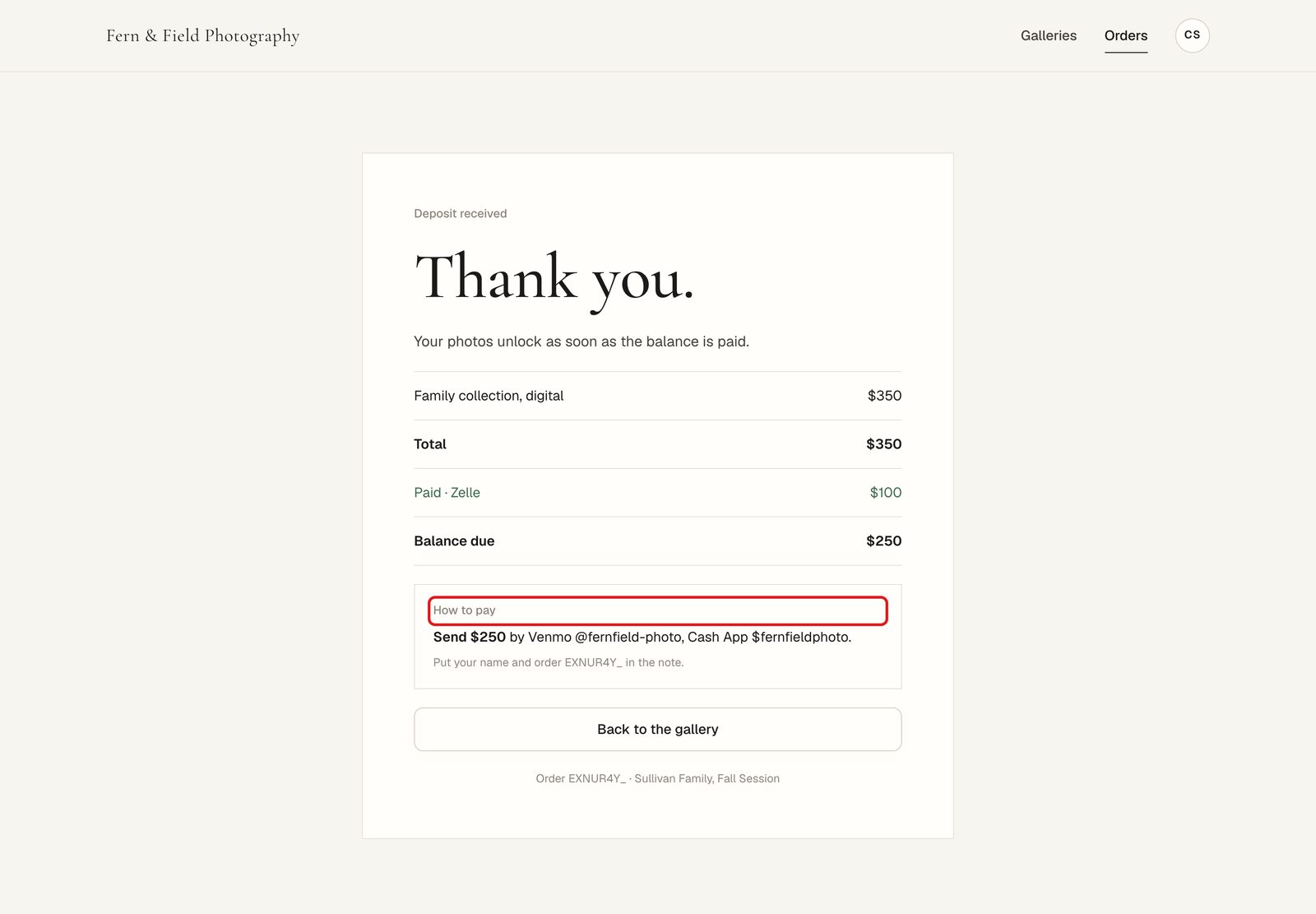
The client’s order page. - STEP 4 OF 7
You get a notice
HeyShutter tells you who ordered and how much to expect. Turn on Payments under Settings, Notifications to get it by email too.
- STEP 5 OF 7
Find the order
When the money arrives, open Sales, Orders and click Unpaid.
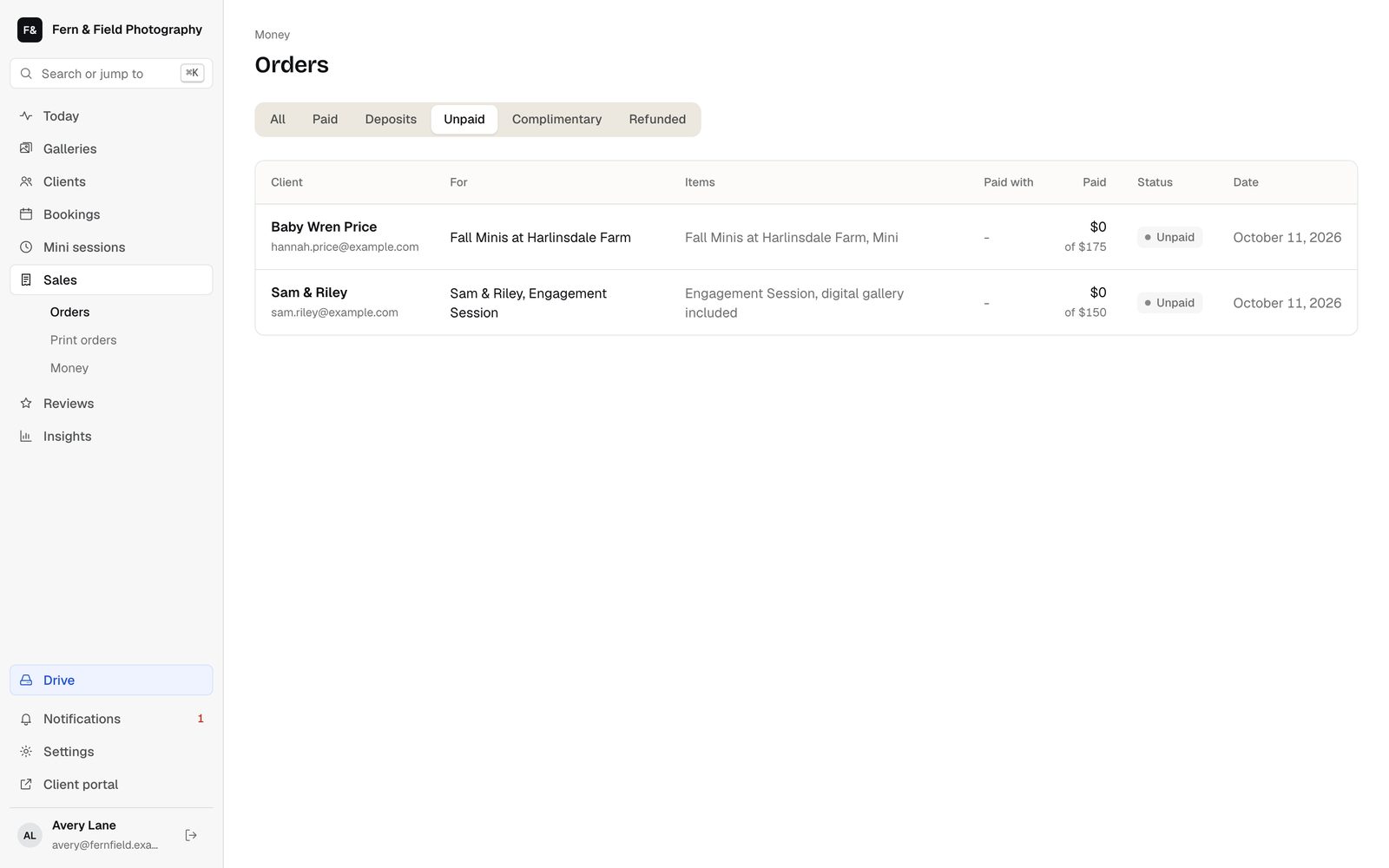
Sales, Orders, Unpaid. - STEP 6 OF 7
Mark it paid
Open the order. Under Mark as paid, check the amount, choose how they paid, add a reference if you like, and click Mark as paid. The photos unlock and the client gets a receipt.
Tip. Only part paid? Tick Unlock the photos now, even if this is only part of the balance, to unlock them early.
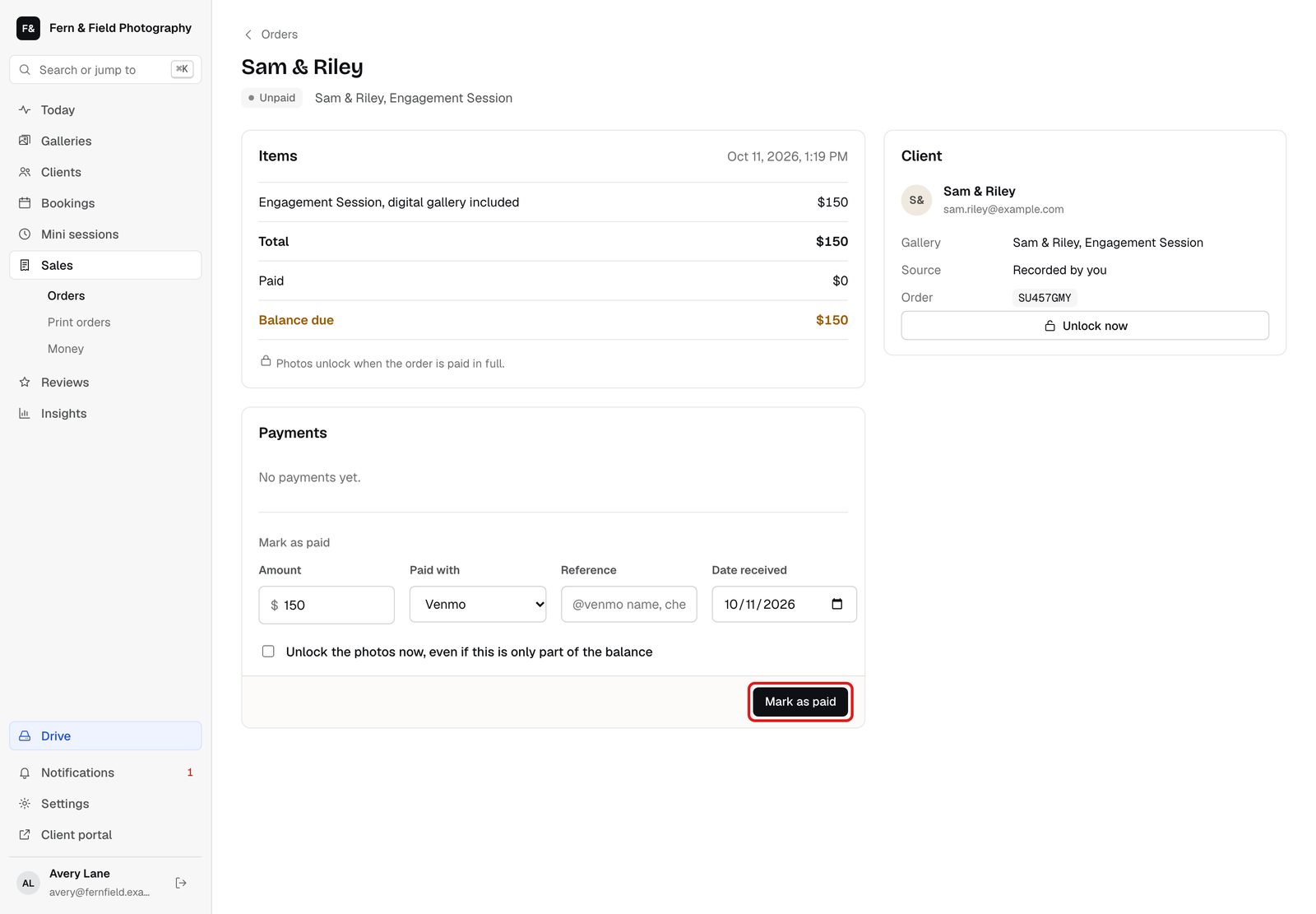
Mark as paid on the order. - STEP 7 OF 7
Or mark it paid from the gallery
On the gallery’s Clients tab, click Mark paid next to the client, fill in what you received, and click Save and unlock downloads.
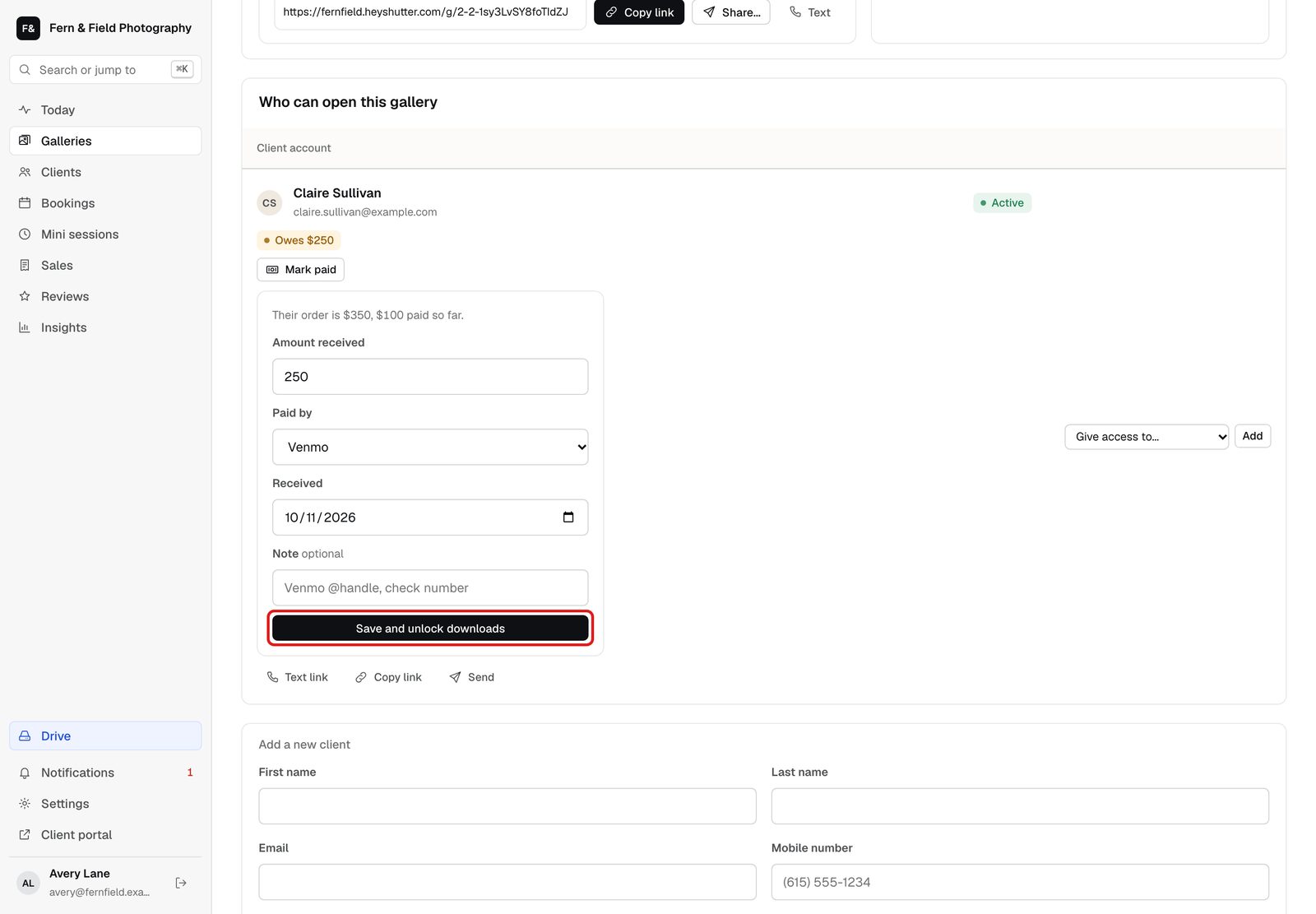
Mark paid from the gallery.
Good to know
Questions
Can clients pay by Zelle or cash?
Yes. Type whatever you take in Pay me directly, and choose how they paid when you mark it paid.
What if they forget the order code?
Match their name and the amount on the Unpaid tab.
Stuck? Email [email protected] with a screenshot, or open Support from inside HeyShutter.