Before you start
- The 35mm plan or higher.
- The studio owner’s login.
- Access to your domain’s DNS settings, where you bought the domain or at Cloudflare.
- STEP 1 OF 4
Ask for the domain
Open Settings, Your domain. Type the address, like clients.yourstudio.com, and click Use this domain.
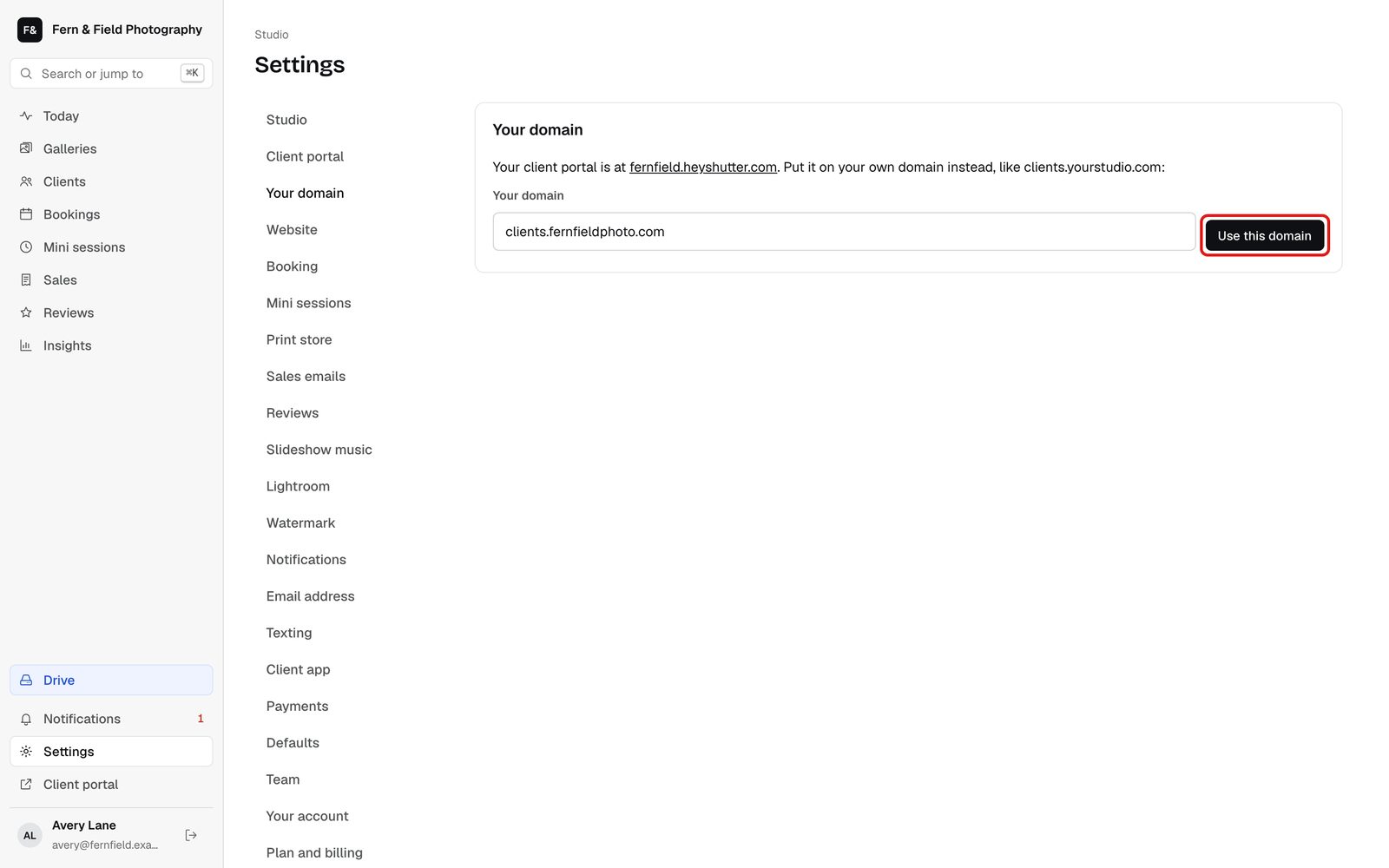
Settings, Your domain. - STEP 2 OF 4
Add the DNS record
The page shows one record to add, with its type, host and value. For an address like clients.yourstudio.com it is a CNAME pointing to domains.heyshutter.com. For a bare domain like yourstudio.com it is an A record. Add it where your domain’s DNS is managed.
Tip. On Cloudflare, set the record to DNS only, the grey cloud.
- STEP 3 OF 4
Check it
Click Check my record. It says whether the record points at HeyShutter yet. DNS changes can take an hour to show.
- STEP 4 OF 4
We switch it on
Once the record points at us, our team sets it up, usually within a day, and emails you when your portal is live. Your heyshutter.com address then forwards to the new one.
Good to know
Questions
Can I use the domain my website is on?
Yes, as a subdomain. If your website is at yourstudio.com, use something like clients.yourstudio.com for galleries.
How long does it take?
Adding the record takes a few minutes. Once it points at us, we usually have your portal live within a day.
Stuck? Email [email protected] with a screenshot, or open Support from inside HeyShutter.