Before you start
- A plan with room for more logins: Large Format includes 3 and Signature 10. Pinhole, 35mm and Medium Format include one.
- STEP 1 OF 4
Open Settings, Team
Open Settings and click Team. Studio logins lists everyone who can sign in to your studio.
- STEP 2 OF 4
Add a login
Under Add a login, type their name and email. Leave Password empty to make one, or type one of at least 10 characters. Tick Email them their login details to send it to them, then click Add login.
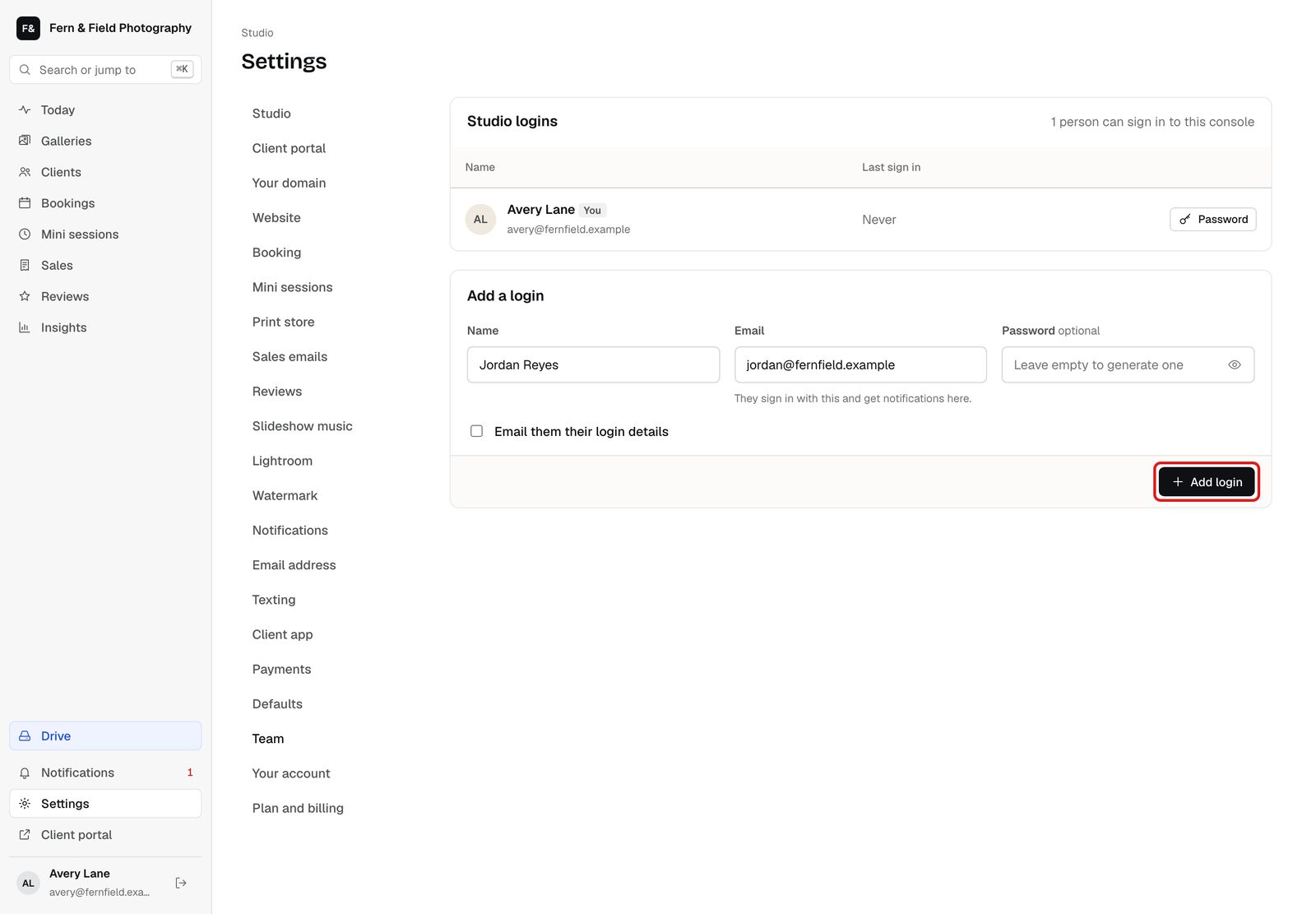
Settings, Team. - STEP 3 OF 4
Copy the password
HeyShutter shows the new password once. Copy it now if you did not email it to them.
- STEP 4 OF 4
They sign in
They sign in at app.heyshutter.com with that email and password and sign the HeyShutter terms the first time. They can change their password under Settings, Your account.
Good to know
Questions
Can I give someone limited access?
Not yet. Every login has full access to the studio.
How many logins can I have?
One on Pinhole, 35mm and Medium Format, 3 on Large Format and 10 on Signature.
Stuck? Email [email protected] with a screenshot, or open Support from inside HeyShutter.